


Closet Planner 3D
0.00.00 Reviews
App Specs
- Version
- 2.18.0
- Updated On
- License
- Free
- Downloads
- 1,000,000+
- Developer
- Ovchinnikov Andrey
- Categories
- House & Home
- Platform
- Android
Screenshots
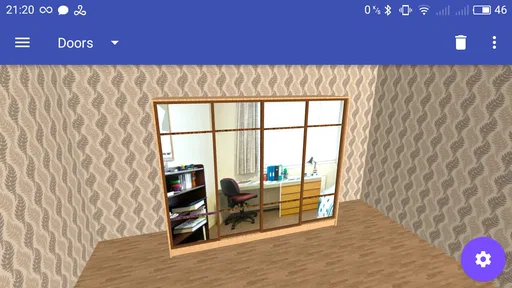
 Analysis by AppCompare
I judge a closet-planning app less by the first exciting spin of a virtual room than by whether it still helps once the novelty wears off. The useful test is practical: can I make a few decisions before moving furniture, then return to the plan when my storage needs change? Closet Planner 3D is aimed at that kind of hands-on home project, and its strongest case is helping you think through a physical closet before committing to a layout.
What the first session is good for
The early appeal is easy to understand. Instead of sketching a closet from memory or shifting shelves on guesswork, I can build a plan around the space I have and try different arrangements. That is particularly useful when a closet is awkward, shared, or simply too small for every item I want to store. Being able to inspect a layout in three dimensions makes the planning feel more concrete than a quick note on paper.
I would treat the first session as a rough design exercise, not a final construction drawing. Start by checking the real space carefully, including anything that could interfere with the proposed arrangement. A plan is only as useful as the measurements behind it, and a visually tidy design can still be impractical if it ignores how you reach a shelf or use a drawer. My practical tip is to measure first, then test one change at a time rather than trying to redesign the whole closet in a single burst.
That approach also makes it easier to see trade-offs. More shelves may give folded clothes a home, but they can reduce hanging space; adding storage for shoes may make the floor area feel more crowded. I find it more useful to plan around the items I actually reach for than to fill every available section just because the design permits it.
Who gets the most from it
This is a good fit if you are planning a closet refresh, working out how to share storage, or trying to make a small space serve more than one purpose. It can also help renters or homeowners compare ideas before buying organizers or asking someone to build shelves. The benefit is not that the app makes those decisions for you; it gives you a way to examine the options before turning them into a real-world expense.
It is less suited to someone who only wants a quick checklist of clothing or a reminder to tidy up. A digital plan needs some setup, and anyone who dislikes measuring, adjusting layouts, or maintaining a virtual record may get more value from a simple sketch and a tape measure. If your closet already works well and you have no intention of changing it, there may not be enough recurring work to justify keeping a dedicated planner in regular use.
A realistic way to use the plan
Imagine that you are rearranging a bedroom closet before a seasonal change. You could measure the interior, map the existing shelves and hanging area, then test whether moving a shelf would create a better place for folded items without sacrificing the space needed for coats. Once you have a layout that seems workable, use it as a reference while sorting belongings and deciding what storage pieces are actually needed. That sequence keeps the design tied to a real task rather than turning the app into another project to maintain.
Worth Reading Before You Choose

EA SPORTS FC Mobile 26 Is a Bigger Football Game, but It Takes Time

Flipboard Shows What News Apps Must Do Beyond the Feed

Switching to Android Auto Means Rethinking Your Driving Routine

Google Calendar Makes a Crowded Week Easier to Manage

Ludo King Makes the Most of the Minutes Between Plans

Baby Panda World Brings Quick Play to Modern Phones, but Its Game Library Feels Busy
A small but valuable habit is to keep the digital plan aligned with the closet only when something meaningful changes. If you add a shelf, remove a drawer, or change how the space is shared, revising the plan can save you from relying on an outdated idea later. I would not spend time recording every minor change in what is stored there; the layout matters more than an exact inventory if your main goal is planning the physical space.
Where it sits among alternatives
Compared with a paper sketch, a 3D planner is easier to inspect from different angles and more convenient for testing several arrangements. A sketch may still be faster for a simple closet, especially if you already know what you want. Compared with general home-design tools, a closet-focused app keeps the task narrower, which can make it easier to concentrate on shelves, hanging space, and drawers instead of planning an entire room.
There is a trade-off: a visual mock-up can make a design feel more certain than it really is. It cannot replace checking the actual space and confirming that the final setup suits your belongings and daily movements. I would use the design to compare possibilities, then verify the chosen arrangement in the room before buying materials or asking for installation. For complex built-ins or a room with unusual constraints, advice from a professional may be more useful than relying on an app plan alone.
These are the reasons I would keep a closet planner around for a specific project rather than expect to open it every day. The value comes back when you move, reorganize, share a closet differently, or discover that your current storage no longer matches your routine. Between those moments, there may be little reason to revisit it. That is not a flaw so much as the nature of a planning tool: it earns its place when a decision needs making.
Getting Started with Closet Planner 3D
First things first, downloading and installing the app is a breeze. It’s available for both Android and iOS, so you’re covered no matter what device you’re using. Once you’ve got it on your phone, the app welcomes you with a clean interface that’s super easy to navigate. No need to be tech-savvy here, folks!
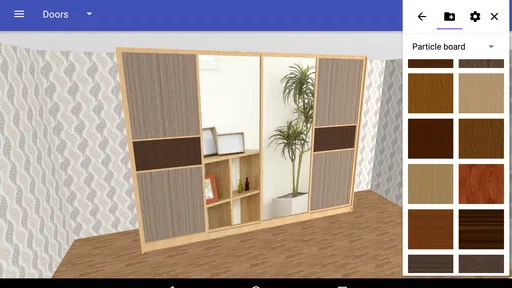
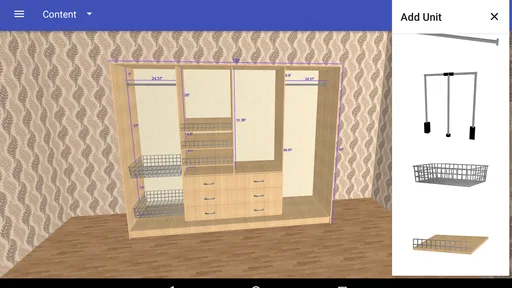
Setting up your virtual closet is surprisingly intuitive. You can input the dimensions of your actual closet to get started. The app offers a variety of customization options, allowing you to experiment with shelving, hanging rods, and even drawers. It’s like playing Tetris, but with clothes!
Designing Your Dream Closet
This is where the app really shines. With Closet Planner 3D, you can create a replica of your closet and experiment with different layouts. Want to add a shoe rack? Done. Thinking about more shelves for those chunky sweaters? Easy peasy.
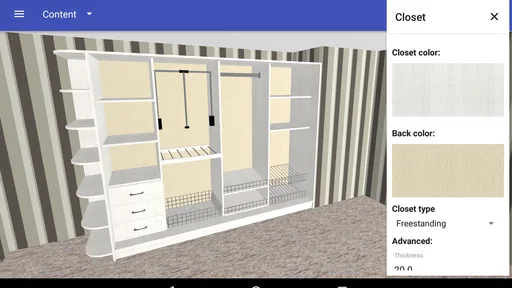
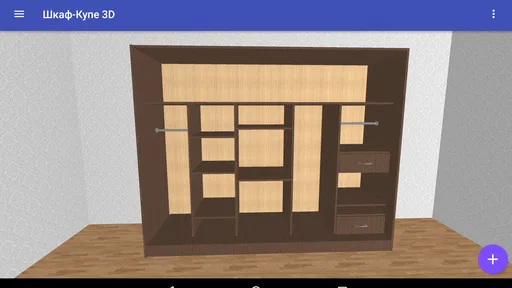
One of my favorite features is the ability to visualize everything in 3D. You can rotate and zoom to your heart’s content, ensuring every nook and cranny is utilized to its fullest potential. This feature is great for those of us who need to see it to believe it.
Organizing Like a Pro
Once your virtual closet is set up, it’s time to get organizing. The app lets you categorize your items, making it easier to find that elusive pair of jeans or your favorite hoodie. You can tag items by season, occasion, or even color, which is a lifesaver during those early morning wardrobe crises!
If you’re someone who likes to plan outfits in advance, the app has you covered. You can create and save different outfit combinations. It’s like having a personalized stylist, and trust me, that’s a game-changer.
Why You’ll Love It
Now, you might be wondering if it’s worth the effort. Let me tell you, Closet Planner 3D is more than just an app—it’s a lifestyle change. By organizing your closet effectively, you save time, reduce stress, and even rediscover clothes you forgot you had. It’s also a great way to declutter and make more mindful fashion choices.
Moreover, the app is constantly updated with new features and improvements. Whether you’re a fashion enthusiast or just someone looking to keep things tidy, this app has something for everyone.
Final Thoughts
In conclusion, Closet Planner 3D is a fantastic tool for anyone looking to bring order to their wardrobe chaos. It’s user-friendly, feature-rich, and just plain fun to use. Plus, who doesn’t want to feel like they’re living in a HGTV special?
So, if you’re ready to take your closet organization to the next level, give this app a shot. It’s like having a personal organizer, a stylist, and a designer all rolled into one handy app. Happy organizing!
What to expect over time
The longer-term question is whether you will keep using the planning side after the closet is built. For many people, the honest answer is probably “only when something changes.” A closet layout is not usually a daily planning problem, so I would not measure the app’s value by how often I open it. I would measure it by whether the initial plan prevents a poor purchase or saves me from rearranging the same space repeatedly.
That makes it most useful at decision points: before buying storage components, when a household member’s needs change, or when a move forces you to rethink what will fit. If you share the space, a saved visual plan can also make a conversation more specific. Instead of debating vague ideas like “more room for shoes,” you can compare where that storage would go and what it would displace.
Keeping the project manageable
Closet planning can become more work than the closet itself if you try to model every garment and keep every detail current. I recommend separating the design task from the wardrobe-inventory task. First solve the physical layout; then decide whether item categorization or outfit planning will genuinely help your routine. If entering and tagging belongings starts to feel like chores, focus on the parts you use and leave the rest alone.
There is also a useful distinction between visualizing a layout and confirming it will work in daily life. A shelf that looks neat on screen may be inconvenient if it is difficult to reach, while a hanging section that fits in the drawing may not suit the lengths of the clothes you actually own. Before settling on a design, think through a normal morning: where do frequently worn items go, can you reach them without moving something else, and is there enough space to put things away easily? That mental walkthrough often reveals problems a polished view can hide.
Cost, access, and practical fit
The app is free to install, with in-app purchases ranging from under a dollar to just under ten dollars per item. I would begin with the free experience and decide whether the planning workflow fits before spending anything. It is available for Android and iOS, and its minimum operating-system requirement is version seven for either platform. The app is developed by Ovchinnikov Andrey, has an Everyone age rating, and has passed the million-install mark.
It first appeared in March 2017, and version 2.18.0 is the current release. Those details make it a reasonably established option rather than a brand-new experiment, but what matters more in practice is whether the interface suits the way you plan. I would check that your device meets the system requirement and spend a little time trying a basic layout before relying on it for a larger renovation.
What I would choose it for
As a House & Home app, this is at its best when the problem is spatial: how to divide a closet, where shelving might go, or whether a layout can handle the mix of folded and hanging clothes you own. It is not automatically the best choice for every kind of wardrobe organization. Someone who mainly wants a catalog of outfits may prefer a tool built around clothing records, while someone doing a full bedroom renovation may want broader room-planning software. The advantage here is focus; the limitation is that a focused closet planner should not be expected to solve every home-design or fashion-management need.
My final recommendation is practical rather than universal. I would try Closet Planner 3D if I had a real closet decision to make and wanted to compare layouts before spending time or money in the room. I would skip it if I only wanted a quick tidy-up reminder, or if I already knew the exact arrangement and had no interest in modeling it. It earns lasting space when it helps turn a messy, uncertain storage project into a clear plan; once that job is done, it is perfectly reasonable for it to sit unused until the next change.
Pros
- Intuitive 3D design interface.
- Extensive customization options.
- Supports multiple room layouts.
- Easy drag-and-drop functionality.
- Regular updates with new features.
Cons
- Limited free version features.
- Occasional app crashes reported.
- Requires high-performance device.
- Some features need in-app purchases.
- User interface can be overwhelming.
FAQs for Closet Planner 3D
What is Closet Planner 3D and how does it work?
Closet Planner 3D is a design app that allows users to create custom closet layouts in a 3D environment. Users can select from a variety of materials, colors, and configurations to design their ideal closet space. The app provides a realistic 3D visualization, making it easier to plan and organize your space before making any physical changes.
Is Closet Planner 3D available on both Android and iOS?
Yes, Closet Planner 3D is available for download on both Android and iOS platforms. Users can find the app in the Google Play Store for Android devices and the App Store for iOS devices. This ensures accessibility across a variety of smartphones and tablets, making it convenient for users with different devices.
Are there any in-app purchases or subscription fees?
Closet Planner 3D offers a free version with basic features, but also includes in-app purchases for additional functionalities and design options. Users can choose to upgrade to a premium subscription for more advanced tools and features. The costs vary, so it's recommended to check the app store for the latest pricing details.
Can I save and export my designs from Closet Planner 3D?
Yes, Closet Planner 3D allows users to save their designs within the app. You can also export your designs in various formats to share them with others or for further consultation. This feature is particularly useful for collaborating with interior designers or when planning your shopping list for materials.
Is Closet Planner 3D user-friendly for beginners?
Closet Planner 3D is designed with an intuitive user interface that caters to both beginners and experienced designers. The app includes helpful tutorials and guides to assist new users in understanding its features. The drag-and-drop functionality makes it easy to experiment with different configurations without extensive prior knowledge.


